
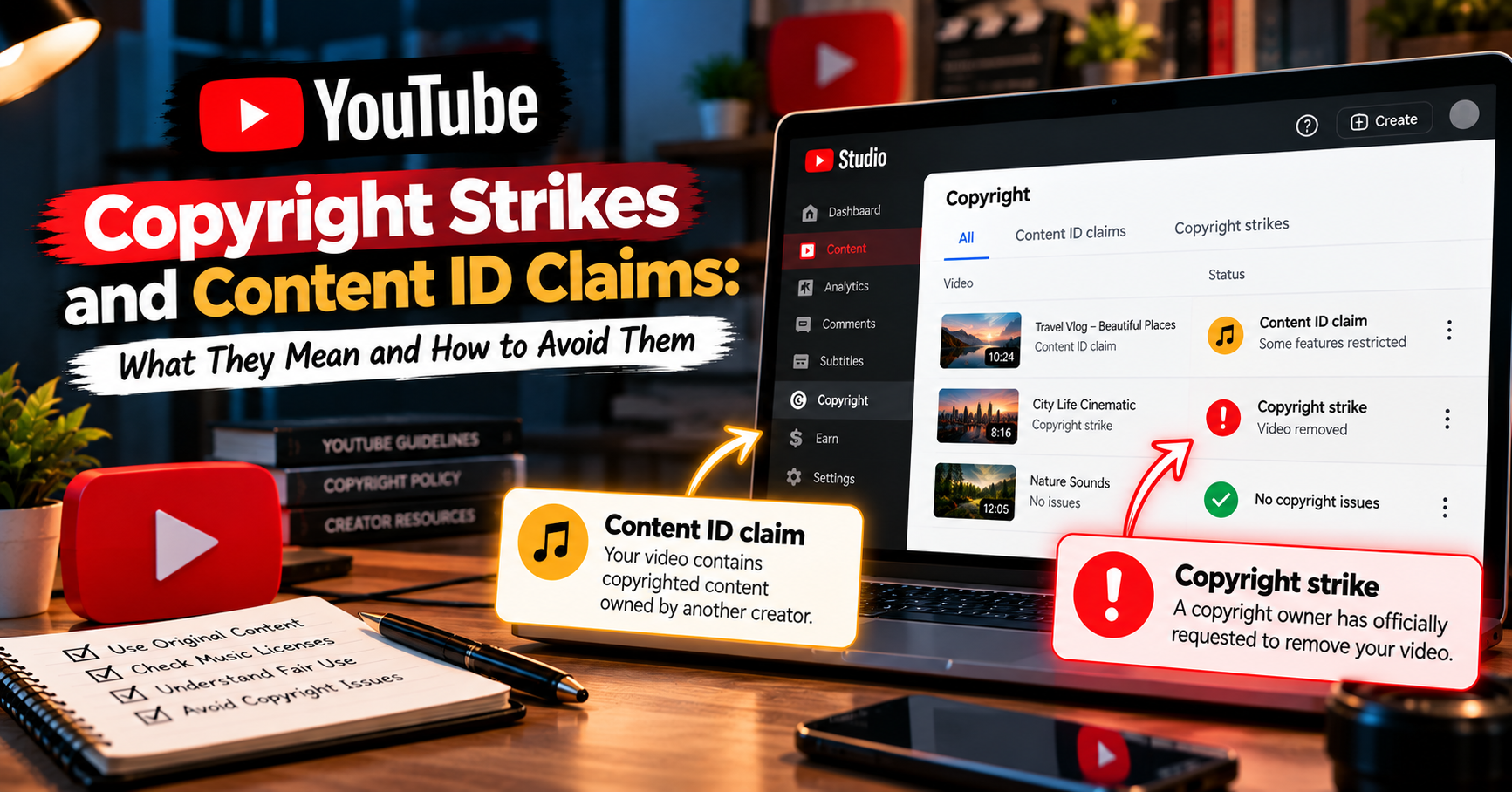
YouTube Copyright Strikes and Content ID Claims: What They Mean and How to Avoid Them
A Content ID claim and a copyright strike are different things. A claim is an automated match that usually affects the video's monetisation or availability and typically does not affect channel standing. A copyright strike is a legal removal request: the video comes down, and three strikes in 90 days can end the channel.
If you have just seen a copyright notification in YouTube Studio, the first thing to establish is which of the two you actually have — because a YouTube copyright strike and a Content ID claim look similar in the interface and are wildly different in consequence. Most creators who panic have received a claim, which is routine. Most creators who ignore a notification should have paid attention to a strike, which is not.
This post explains what each one actually does, using YouTube's own published policy, how to check which you have, and the practices that reduce the chance of either.
What's the Difference Between a Content ID Claim and a Copyright Strike?
A Content ID claim is automated. YouTube's system matched something in your video — usually music, but also film, TV, or game footage — against a reference file a rights holder uploaded. The rights holder then decides what happens to your video. A copyright strike is a legal process: someone submitted a formal removal request, YouTube reviewed it, and your video was taken down.
| Content ID claim | Copyright strike | |
|---|---|---|
| What it is | An automated match against a rights holder's reference file | A legal copyright removal request that YouTube reviewed and acted on |
| What happens to the video | Stays up in most cases; the rights holder may take the revenue, mute the audio, or block it in some or all countries | Removed from YouTube |
| Effect on the channel | Typically none — YouTube states a Content ID claim usually does not result in a copyright strike | A strike on the channel; three in 90 days makes the channel subject to termination |
| How it clears | Remove or replace the claimed content, or dispute it if you believe the claim is wrong | Expires after 90 days once Copyright School is completed, or via retraction or a valid counter notification |
Source: YouTube's official copyright documentation. Policies change — check the current Help Center for your situation.
Does a Content ID Claim Hurt My Channel?
Usually not, in the sense creators fear. YouTube states plainly that a Content ID claim on your video typically does not result in a copyright strike, and a claim by itself is not a mark against your channel's standing.
What it does affect is the video. Depending on what the rights holder chose, the video may keep running with the advertising revenue going to them instead of you, the audio may be muted, or the video may be unavailable in certain countries — or everywhere. For most creators the practical impact is on earnings from that specific video, not on the channel.
One caution worth taking seriously: disputing a claim you do not have a genuine basis to dispute can escalate the situation. A dispute is not a free action — it puts the question back to the rights holder, who has further options. Dispute when you have a real reason, not reflexively.
What Happens If I Get a Copyright Strike on YouTube?
The video is removed, and a strike is applied to your channel. According to YouTube's official documentation, copyright strikes expire in 90 days if you complete Copyright School and your channel has fewer than three strikes — and channels that get three copyright strikes in 90 days are subject to termination.
Copyright School is short: YouTube describes it as four questions about how copyright works on the platform, and you only need to complete it once. Completing it is what starts the 90-day clock on clearing the strike, which is why doing it promptly matters.
Live streams have their own consequence. If an active live stream is removed for copyright, the channel gets a strike and live streaming access is restricted for 7 days; a further copyright strike extends that restriction to 14 days.
A distinction most articles get wrong: copyright strikes and Community Guidelines strikes are two separate systems. The upload freezes you may have read about — a week for a first strike, two weeks for a second — belong to the Community Guidelines system, not the copyright system. Do not assume the penalties are interchangeable, and check which type of strike a notification refers to before acting on advice you find online.
How Beginners Usually Get Flagged
Almost all first claims and strikes come from a short list of situations, and most are honest mistakes rather than deliberate copying.
- Background music. By far the most common. A song playing in a café you filmed in, a track under your intro, or music from a video you screen-recorded. Content ID matches audio very effectively, including short fragments.
Two music misconceptions cause most of these. The first is that a short clip is safe — length is not what determines whether a match occurs, and very brief fragments are routinely identified. The second is that crediting the artist in the description grants permission; it does not. Attribution and licensing are different things, and only the second one gives you the right to use a track.
- Reaction and commentary clips. Using someone else's footage while you react to it. Whether any particular use is permissible is a legal question that depends on jurisdiction and specifics — the practical reality is that the rights holder's systems will often flag it regardless.
- Screen recordings. Recording your screen captures whatever was playing on it, including music, video, and interface audio you did not think about.
- Stock and template assets with unclear terms. Free asset packs, template projects and downloaded transitions sometimes contain material the packager did not have the right to distribute. Keep a record of where each asset came from.
- AI-generated audio built on protected material. Tools that reproduce a recognisable voice or a specific recording can raise the same rights questions as using the original, and this area is evolving quickly. Treat outputs cautiously rather than assuming generated means unencumbered.
How to Check Claims and Strikes in YouTube Studio
1. Open YouTube Studio and go to Content. Any video with a copyright issue shows a restriction indicator in its row.
2. Hover or tap the restriction and choose to see details. This tells you whether the issue is a claim or a strike — the single most important thing to establish.
3. Read what the claimant chose. For a claim, you will see whether the video is monetised by the rights holder, muted, or blocked, and in which territories.
4. Check the copyright section of your channel settings. Active strikes and their status appear there, along with what you need to do to resolve them.
If you no longer have access to your channel, YouTube sends notification emails from its official no-reply address, and those contain the same information.
Can I Appeal a YouTube Copyright Strike?
There are routes to resolve a strike, and it is important to describe them accurately rather than optimistically. YouTube's documentation names three: the strike expires after 90 days if you complete Copyright School and have fewer than three strikes; the person who requested removal can retract their request; or you can submit a counter notification.
A counter notification is a legal instrument, not a complaint form. It carries obligations and consequences, and it is not the right response to every strike. If you believe your video was removed in error or that your use was lawful, read YouTube's guidance on the process carefully and consider getting proper advice — this post is not legal advice, and nobody can promise you an outcome.
The honest summary: waiting out the 90 days after Copyright School is the ordinary path for a creator who made a genuine mistake. Counter notification is for cases where you have a real legal basis.
What to Do in the First Hour
A notification arrives and the instinct is to act immediately — delete the video, fire off a dispute, or panic. All three are usually wrong. A short, ordered response works better.
1. Establish which one it is. Claim or strike. Everything else depends on this answer, and the two look similar at a glance in Studio.
2. Read what was actually matched. The notice names the content and often the exact timestamps. Frequently it is a few seconds of music you had forgotten was there.
3. Do not delete the video reflexively. Deleting a video does not remove a strike that has already been applied, and it destroys any watch history and comments the video had earned. For a claim, there are usually editing options — trimming or replacing the matched segment — that resolve it while keeping the video.
4. Do not dispute on reflex. Disputing a claim you cannot justify puts the matter back to the rights holder, who has further options available. Dispute when you have a genuine basis, not because the claim feels unfair.
5. If it is a strike, complete Copyright School promptly. It is four questions and only needs doing once, and completing it is what allows the strike to clear after 90 days.
Then check the rest of your library for the same problem. If one video used a track you assumed was free, others probably did too, and finding them yourself is considerably better than being told about them one notification at a time.
How to Reduce the Risk Going Forward
No process eliminates the possibility of a claim — rights systems make automated matches, and creators with entirely original work occasionally receive them. What good practice does is make claims rarer and easier to resolve.
- Use music you have clear rights to. Licensed libraries, YouTube's own audio library, or tracks where you hold a licence you can produce. Save the licence documentation with the project file.
- Record clean audio. Be aware of what is playing in the room or on your screen while filming. Muting a background source at the source is easier than removing it later.
- Keep an asset log. One note per video listing where each piece of music, footage and image came from. If a claim arrives months later, this turns a panic into a lookup.
- Build original material where you can. Your own footage, your own script, your own voice. Original work is the only genuinely safe material, and it also happens to be what differentiates a channel. If drafting is the bottleneck, a Script Builder can help you get original scripts written faster — the writing is still yours to shape.
- Check your channel's state regularly. Knowing what is on your channel is part of running it. A periodic Video Audit keeps you familiar with your library's condition — it reviews the state of your videos, and no tool of any kind can prevent or block a copyright claim or strike.
A Different Problem: Monetisation Rejection
One thing this post is not about. If your application to the YouTube Partner Program was declined, that is a separate process with separate causes — it is about whether a channel qualifies to earn, not about copyright enforcement on individual videos. The two get conflated constantly because both arrive as bad news in Studio. If that is your situation, YouTube Monetization Rejected? Fix It covers the rejection reasons and what to do about them.
The Bottom Line
A Content ID claim is usually a video-level matter — often about who earns from that upload — and typically does not affect your channel's standing. A copyright strike is a channel-level matter with a clear published consequence: it clears after 90 days once Copyright School is done, and three in 90 days puts the channel at risk of termination. Establish which one you have before doing anything else.
Beyond that, the durable protection is not a tool or a trick — it is knowing where your material comes from, keeping a record of it, and building as much original work as you can. Policies change, so check YouTube's Help Center for the current rules whenever a notification arrives.