
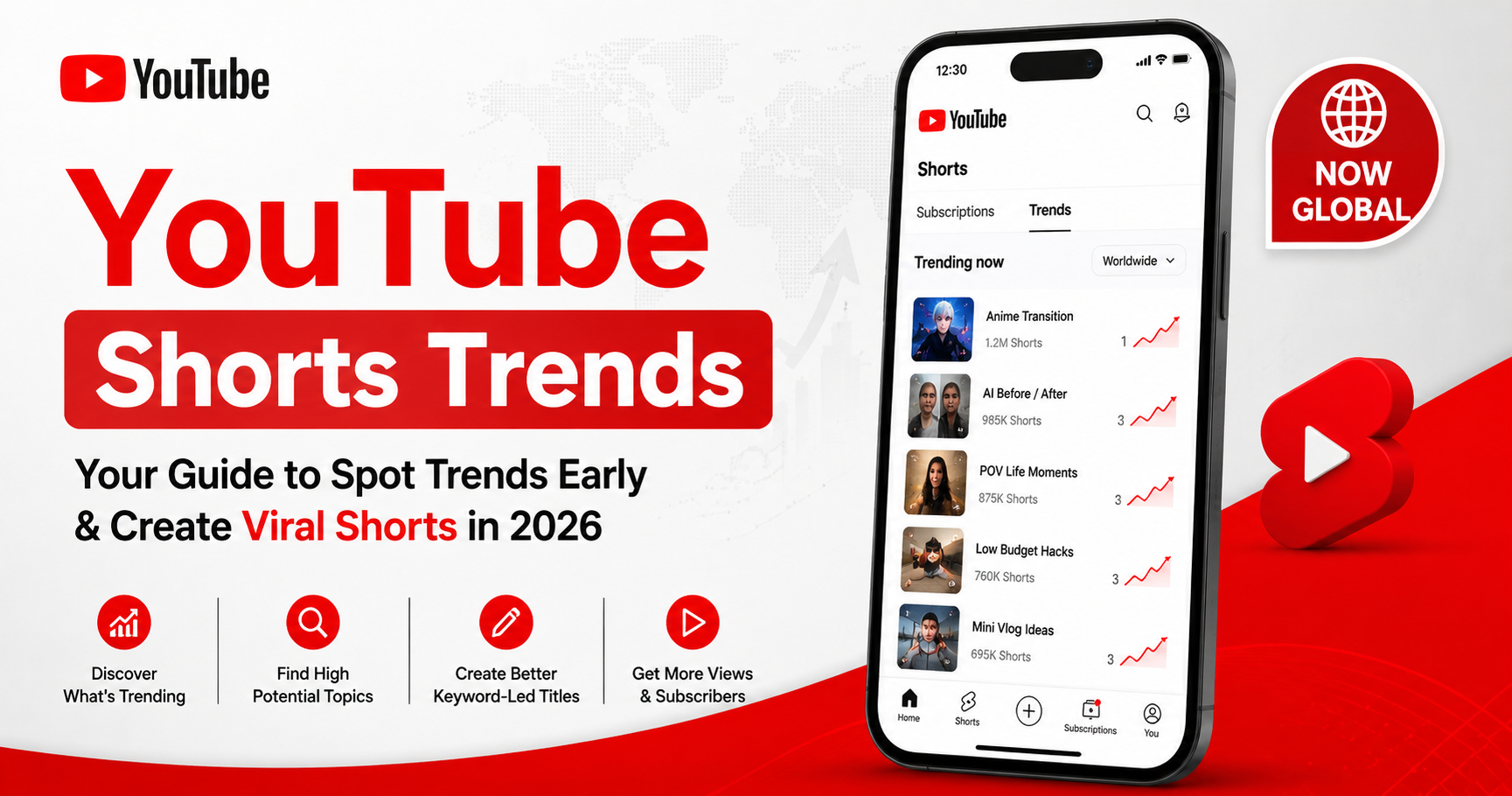
How to Ride YouTube's New Shorts Trends Page Before Everyone Else (2026)
YouTube quietly opened up one of its best growth levers to everyone in 2026: the YouTube Shorts Trends page, previously limited to select markets, is now globally available inside the Shorts feed. If you've been guessing which audio is rising - or scrolling cross-app looking for trending sounds - this is the upgrade you've been waiting for.
The catch: now that millions of creators have access, the early-mover advantage matters more than ever. This guide shows you how to use the Trends page to catch waves early, plus the one move most creators miss: pairing trending audio with the right keywords so your Short doesn't just ride the feed, it actually gets discovered.
Quick Answer
The YouTube Shorts Trends page is a native surface inside the Shorts feed that shows trending audio and personalized content ideas. To open it: pause anywhere in the Shorts feed and tap Trends at the top of the screen. The winning move - pick rising audio early (within 1-2 weeks of momentum) and pair it with keyword-led titles, so your Short wins feed distribution AND search discovery.
What Is the YouTube Shorts Trends Page?
The Shorts Trends page is YouTube's native discovery surface for trending audio and content inspiration, built directly into the Shorts feed. It shows what sounds are rising, what content formats are spreading, and - critically - those signals are personalized to your channel based on your niche and viewing history.
Until 2026, the Trends page was limited to select markets, leaving most global creators scrolling cross-app or guessing at TikTok-to-YouTube trend transfers. YouTube's 2026 rollout makes it available to all creators globally - turning a previously noisy informal process into a native, personalized surface tied directly to YouTube's distribution signals.
Where Is the YouTube Shorts Trends Page? How to Open It
Opening the Trends page takes three taps:
1. Open the YouTube app and navigate to the Shorts feed.
2. Tap the screen once to pause any Short. The pause exposes the navigation tabs.
3. Tap "Trends" at the top of the screen. You'll see two sections: trending audio (sounds with rising momentum) and personalized inspiration (formats your niche is responding to).
Both sections are personalized - what you see may differ significantly from another creator's view. That's a feature: it surfaces the trends most likely to land with your audience.
Why Trending Audio Alone Isn't Enough
Here's the move most creators miss. Trending audio is one of the most reliable ways to earn early distribution in the Shorts feed - sounds with rising momentum trigger the algorithm's "this is the moment" signal and amplify your Short's initial test audience.
But trending audio alone doesn't get you found in search or suggested. The Shorts feed is one of three distribution surfaces - search and suggested depend on keywords, not audio. A Short with trending audio and a vague title catches the feed wave, then disappears when the trend cools. A Short with the same trending audio AND a keyword-led title rides the feed AND keeps earning impressions in search for months.
This is where keyword research closes the gap. Use the Trends page for the audio and idea, then use YouTube keyword research to find the high-intent, rising keywords for your title, description, and hashtags - so your Short catches the wave early AND stays discoverable after the trend cools. For the full Shorts metadata playbook, see YouTube Shorts SEO.
How Early Should You Jump on a Shorts Trend?
Speed matters disproportionately on Shorts trends. The algorithm rewards creators who execute on emerging audio before saturation - a Short posted during the rising window of a trend tends to earn 5-10× the distribution of an identical Short posted after peak.
The general rule: post on a trending sound within 1-2 weeks of it gaining momentum. After that, the audience has seen the format dozens of times, novelty fades, and your version competes against viral early adopters.
To spot rising vs already-peaked trends:
- Rising: sounds with steeply increasing use, fewer than ~10K Shorts using them
- Peaking: hundreds of thousands of uses; your feed shows multiple variations
- Cooling: sounds the Trends page has stopped showing prominently
Move fast on rising. Skip peaking unless you have a fresh angle. Avoid cooling entirely.
Step-by-Step: From the Trends Page to a Published Short
The workflow from spotting a trend to publishing a Short that wins both feed AND search:
1. Open the Shorts Trends page. Pause the feed, tap Trends. Scan both sections - what's personalized for your channel right now?
2. Pick a rising audio or idea that fits your niche. Relevance beats volume. A trending sound your niche would naturally engage with always outperforms a viral sound that confuses them.
3. Research the high-intent keywords around the trend's topic. What is your niche actually searching that the trend touches? A workout trend might tie to "morning workout" or "home gym hack."
4. Write a keyword-led title and description, add 2-4 relevant hashtags. Title 40-50 chars with keyword up front; description with keyword in first 150 chars; hashtags = #Shorts + 2-3 niche-specific.
5. Scan your Short before posting with the YouSEO YouTube Shorts SEO checker. Confirm title, hashtags, description, and first frame are all working together. Catching a metadata mismatch before publishing protects the early-engagement window.
Then publish during your audience's peak window - see best time to post on YouTube for finding your channel's specific peak. Early-engagement velocity amplifies feed expansion.
When Should You Chase a Trend vs Skip It?
Not every trend deserves your time. The discipline is relevance - chasing trends that don't fit your niche backfires because the audience the trend brings in won't subscribe or watch your other content.
For new creators, trends are one of the fastest ways to get discovered - the feed amplifies trending audio more aggressively for channels building from zero. For established creators, trends serve a different purpose: expanding reach into adjacent audiences without a full content pivot.
Chase a trend when:
- It fits your niche or an adjacent topic your audience cares about
- You can add an original angle - commentary, niche-specific spin, unique scenario
- You can execute within the rising window - this week, not next month
Skip a trend when:
- It has no relevance to your niche
- Your version would be a low-effort copy of what's already viral
- The trend has already peaked or cooled
A Tale of Two Creators: Same Trend, Different Discoverability
Consider two fitness creators who spot the same trending audio in the Trends page on the same day. Both post within 36 hours.
Creator A posts the clip with the trend's typical format, no original angle, a generic title ("Try this!"), and #Shorts as the only hashtag. The Short catches the feed wave for 24-48 hours, hits ~15,000 views, then fades. Two weeks later when the trend cools, it stops earning impressions entirely.
Creator B posts the same audio with their niche spin ("Why this workout song actually changes your form"), a keyword-led title built around "workout song," a 2-sentence description with the keyword in the first 150 characters, and 3 fitness-specific hashtags plus #Shorts. The Short catches the same feed wave, hits ~22,000 views in 48 hours, AND continues earning ~500 impressions per day in search for the next 3 months. Same audio, same execution window - dramatically different long-term value.
Frequently Asked Questions About the YouTube Shorts Trends Page
Where is the YouTube Shorts Trends page?
Inside the YouTube app's Shorts feed. Navigate to the Shorts feed, tap to pause any Short, then tap "Trends" at the top. You'll see trending audio and personalized content inspiration.
Is the Shorts Trends page available to all creators now?
Yes. As of 2026, YouTube expanded the Trends page to all creators globally. It was previously limited to select markets. If you don't see it yet, update the YouTube app to the latest version.
How do I find trending audio on YouTube Shorts?
Open the Shorts feed, pause any Short, and tap Trends. The audio section shows sounds with rising momentum, personalized to your niche. Look for sounds with steeply increasing use and fewer than ~10K Shorts already using them.
How early should I jump on a Shorts trend?
Within 1-2 weeks of a sound gaining momentum. Posts during the rising window can earn 5-10× the distribution of identical posts after the trend peaks.
Do trending keywords help Shorts discovery, or just audio?
Both. Trending audio drives early feed distribution. Trending keywords in your title and description drive search and suggested-video discovery - the surfaces that keep delivering views after the trend cools.
Can trending audio alone make a Short go viral?
Sometimes, but unreliably. Trending audio improves your chances of catching the feed wave, but viral lift also depends on first-frame hook, relevance, and execution speed. Pair audio with a niche-relevant angle and keyword-led title for consistent results.
Catch the Wave Before It Saturates
The Shorts Trends page is now global. Most creators in your niche either don't know yet or aren't using it strategically - both create a window of opportunity that won't last. Open it tomorrow. Find one rising audio. Pair it with keyword-led metadata. Publish before the trend peaks.
Pair the Shorts Trends page (for audio and ideas) with YouSEO's keyword research (for the titles that win search and suggested). Scan every Short before posting with the YouTube Shorts SEO checker so the trend works for you in the feed AND in search. For the full SEO scoring workflow, see how to check your YouTube video's SEO score. Try YouSEO free today.