
Best Hashtags for YouTube Shorts (And How to Actually Find Them)
Search results for the best hashtags for YouTube Shorts are full of "magic copy-paste lists" - and most of them are useless. Generic lists of 30 hashtags that worked for someone else's video, in someone else's niche, two years ago. If hashtags worked that simply, every creator using the same list would go viral. They don't, because hashtags don't work that way.
Here's the honest version. Hashtags help YouTube categorize your Short and let viewers find related content - useful, but not a distribution driver. The real skill isn't picking from a list; it's finding the few highly relevant hashtags that describe YOUR specific video. This guide shows you how to do that, while busting the myths that waste most creators' time.
Quick Answer
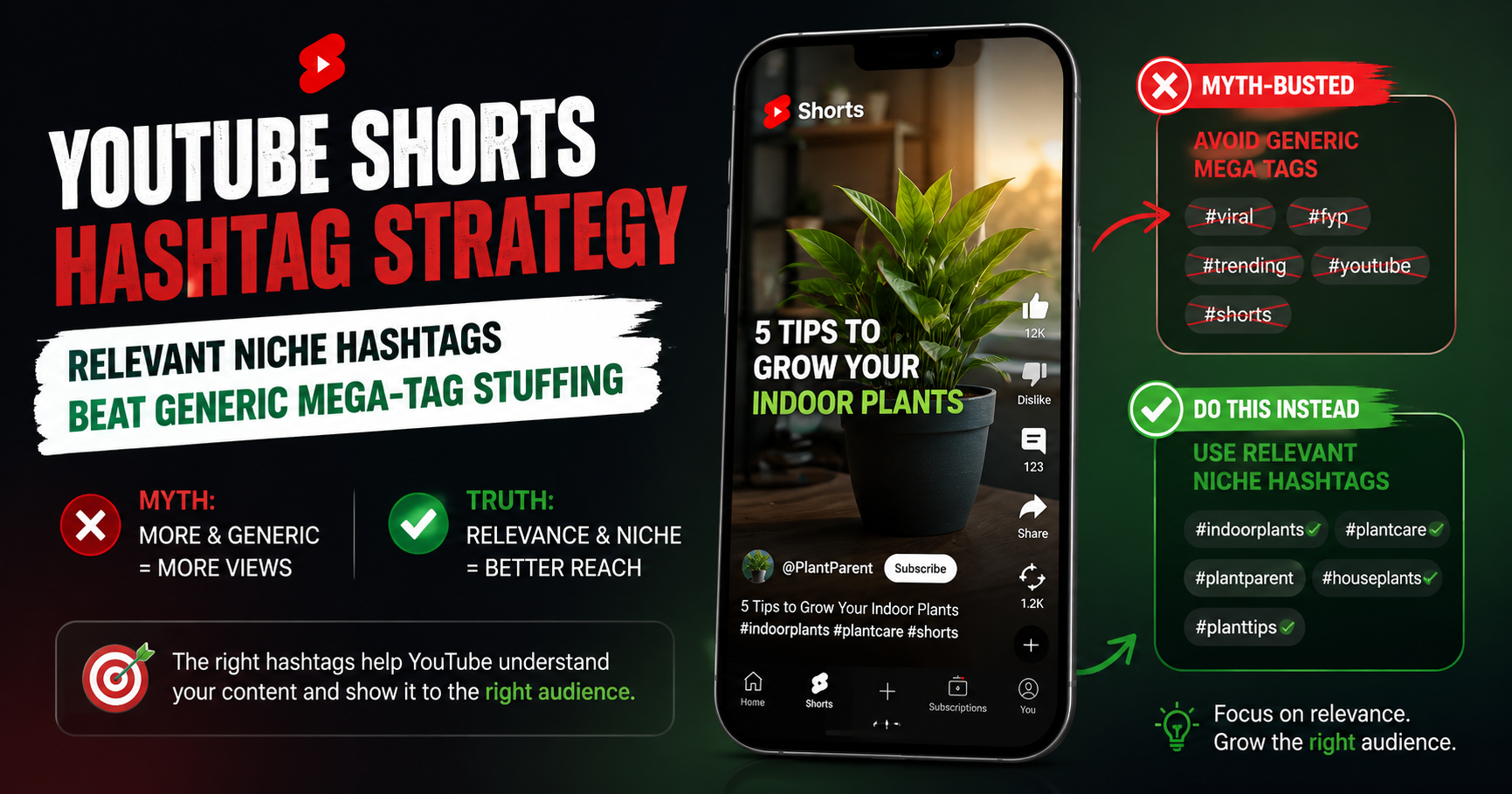
The best hashtags for YouTube Shorts are 3-5 highly relevant ones built around your specific video's topic - there is no universal list. Use a broad-to-niche funnel: one broad hashtag, two topic-specific, one or two niche. Place them in the description (the first 3 appear as clickable links above the title). Skip #viral and #fyp; they categorize nothing. And #Shorts is no longer required in 2026 - YouTube identifies Shorts automatically.
Do Hashtags Even Matter for YouTube Shorts?
Yes, but with limited impact. Hashtags are a categorization signal - they help YouTube understand what your Short is about and surface it to viewers searching or clicking related tags. They are NOT a distribution driver. The algorithm decides how widely to push your Short based on first-frame hook, watch percentage, swipe-away rate, and overall engagement - not hashtag selection.
Think of hashtags as a thin slice of metadata that nudges your Short toward the right initial test audience. The viral lift you actually want comes from content quality and the first 3 seconds. Treat hashtags as table stakes - get them right, then put real effort into the things that move the needle.
Why "Best Hashtags" Lists Are Mostly Useless
Three reasons. First, the lists you find online are generic - millions of creators use the same #fitness, #viral, #fyp combo, so YouTube treats them as low-signal noise. Second, copy-paste sets often look spammy and irrelevant to your actual content, which backfires. Third, those lists ignore the most important factor: your specific topic and niche. Relevance can't be inherited from another creator's list - it has to come from your own content.
The Hashtag Myths Worth Busting
Three persistent myths waste creator time:
- Myth: #Shorts is required for your video to appear in the Shorts feed. Reality: it isn't, and hasn't been for years. YouTube's Creator Insider has confirmed the platform classifies a video as a Short automatically based on vertical orientation and short duration. #Shorts is optional and low-impact - don't include it just out of habit.
- Myth: More hashtags equal more reach. Reality: the opposite. YouTube's official Help Center states that more than 60 hashtags on a video causes the platform to ignore every hashtag - not just the extras. Some older guides cite a lower 15-hashtag figure; current YouTube documentation says 60. Either way, sticking to 3-5 keeps you safely below any threshold.
- Myth: Hashtags like #viral and #fyp boost discovery. Reality: they're so universally overused they give YouTube almost zero useful categorization signal. Irrelevant hashtags can also trigger spam detection and limit reach. Skip them entirely.
How Do You Find the Best Hashtags for YOUR Shorts?
Forget the lists. Follow this 4-step method on every Short:
1. Start from your video's core topic and keywords. Write down the one specific thing your Short is about (e.g., "30-day ab challenge results"). Your hashtags come from this central topic, not a borrowed list.
2. Build a broad-to-niche funnel. Pick ONE broad hashtag (e.g., #fitness), TWO topic-specific (e.g., #homeworkout, #abworkout), and ONE OR TWO niche (e.g., #30dayabchallenge). That's 4-5 total, each at a different specificity layer.
3. Check what similar niche creators are using. Find creators making content like yours. Note their patterns - skip the generic mega-tags, borrow the niche-specific ones.
4. Validate every hashtag is genuinely relevant. Use YouTube keyword research to surface the actual search terms behind good hashtags - the underlying keywords give a hashtag real signal beyond just popularity. Then scan your finished Short with the YouTube Shorts SEO checker to catch any irrelevant, missing, or over-stuffed hashtags before publishing.
How Many Hashtags Should You Use, and Where?
Use 3-5 highly relevant hashtags. This is the consensus best practice across creator-research data, and it avoids the over-tagging penalty entirely. Place them in the description - that's YouTube's recommended placement, and the first 3 hashtags in your description appear as clickable blue links above the video title, where viewers can tap them to find related content.
The hard ceiling: YouTube's official Help Center states that a video with more than 60 hashtags will have ALL its hashtags ignored. Some older guides cite a lower figure (15) - older documentation or third-party misinterpretation. Either way, you should never come close to those thresholds; if you're tempted to add 10+ hashtags, you're already over-tagging by best-practice standards.
Hashtags vs Tags vs Keywords: Clearing Up the Confusion
Three separate things, often confused as one:
- Hashtags: visible #text in your title or description that viewers can click. Help with categorization and clickable discovery. Limited to 3-5 in practice.
- Tags: hidden backend metadata you add in YouTube Studio. Help the algorithm understand topic and surface your Short in related-video recommendations. Share a 500-character budget combined.
- Keywords: the underlying search terms that inform both hashtags and tags - and that should anchor your title and description. Found through keyword research.
All three are independent systems and one doesn't replace another. Use hashtags for visible categorization, tags for algorithmic understanding, and keywords as the underlying signal that shapes everything.
Common Hashtag Mistakes to Avoid
- Stuffing 10-20+ hashtags hoping for more reach - triggers over-tagging penalty
- Using irrelevant or misleading hashtags to chase trending terms
- Relying only on mega-broad tags like #viral, #fyp, or #trending
- Copying random hashtag lists without checking relevance to your content
- Including #Shorts on every video out of habit when you could use that slot for something niche-specific
A Real Hashtag Comparison: 20 Generic Tags vs 4 Relevant Ones
Two creators upload a Short about a specific cooking technique. Creator A pastes 20 hashtags from a "viral Shorts" list: #viral #fyp #trending #shorts #cooking #food #foodie #recipe #recipes #yummy and 10 more. YouTube reads it as noise. The Short fails to get meaningful categorization, generic-tag traffic is essentially zero, and the algorithm's initial test audience is poorly matched. It stalls under 1,000 views.
Creator B uses 4 hashtags: #cooking (broad), #cookinghacks (topic-specific), #knifeskills (topic-specific), #cuttingboard (niche-specific). YouTube reads this as clear categorization. The test audience is people genuinely interested in cooking technique. Hook holds them, watch time signals are strong, and the Short hits 35,000 views in its first 72 hours. Same content quality - the difference was hashtag relevance, not volume.
Frequently Asked Questions About YouTube Shorts Hashtags
How many hashtags should I use on a YouTube Short?
Use 3-5 highly relevant hashtags. YouTube's official documentation states that having more than 60 total hashtags on a video causes all of them to be ignored, but you should never approach that ceiling. Three to five gives YouTube enough categorization signal without diluting relevance.
Is #Shorts still required for YouTube Shorts in 2026?
No. YouTube auto-classifies vertical videos under the Shorts duration limit as Shorts regardless of whether you include #Shorts. The hashtag is now optional and low-impact. Adding it doesn't hurt, but it uses one of your limited hashtag slots - often better spent on a niche-specific tag.
Do hashtags affect YouTube Shorts ranking or distribution?
Indirectly. Hashtags help YouTube categorize your Short and route it to the right initial test audience. They don't directly boost distribution. What actually drives the algorithm is engagement - watch time, swipe-away rate, completion - which comes from your hook, pacing, and content quality.
What hashtags should I avoid on YouTube Shorts?
Avoid generic mega-volume tags like #viral, #fyp, and #trending - millions of videos use them, so they signal nothing useful. Avoid irrelevant or misleading hashtags entirely; they can trigger spam detection and limit reach. And don't over-tag - stay at 3-5.
Where do hashtags appear on a YouTube Short?
The first 3 hashtags from your description appear as clickable blue links directly above the video title. Hashtags placed in the title also appear as clickable text within the title. The description is the recommended placement - it's YouTube's default and gives you visibility without cluttering the title.
What's the difference between YouTube tags and hashtags?
Tags are hidden backend metadata in YouTube Studio that help the algorithm understand your video's topic for related-video recommendations. Hashtags are visible, clickable #text in your title or description that viewers can tap to find related content. Both still matter in 2026, but they work independently - use both, not one or the other.
Stop Copy-Pasting Lists. Find the Right Ones.
The truth about hashtags is less exciting than viral-list articles promise: there is no magic list, and hashtags alone won't make your Short blow up. What they will do - if you pick them right - is help YouTube put your Short in front of the right initial audience, where content quality does the heavy lifting. For the full Shorts metadata picture, see YouTube Shorts SEO. For trending audio, see YouTube's Shorts Trends page and trending YouTube video ideas.
Skip the random lists. Find the relevant terms with YouSEO's keyword research, then scan your Short before posting with the YouTube Shorts SEO checker to catch hashtag mistakes before they cost you the feed. Use 3-5 relevant hashtags and put your energy into the hook. Try YouSEO free today.