
How to Check Your YouTube Video's SEO Score (Free, in 60 Seconds)
Most creators upload videos with metadata they never actually checked - titles that miss the target keyword, descriptions buried under links, tags pulled from guesses, and thumbnails that blend in instead of standing out. Then they wonder why impressions stay low and views stall. The fix is simple: how to check YouTube video SEO before or after publishing only takes about 60 seconds, and it tells you exactly what's working and what's quietly costing you.
This guide walks through what a YouTube video SEO score actually measures, how to run a free 60-second check, how to read the result, and how to fix the four most common score-killers - without resorting to tag stuffing, clickbait, or any tactic that puts your channel at risk.
Quick Answer
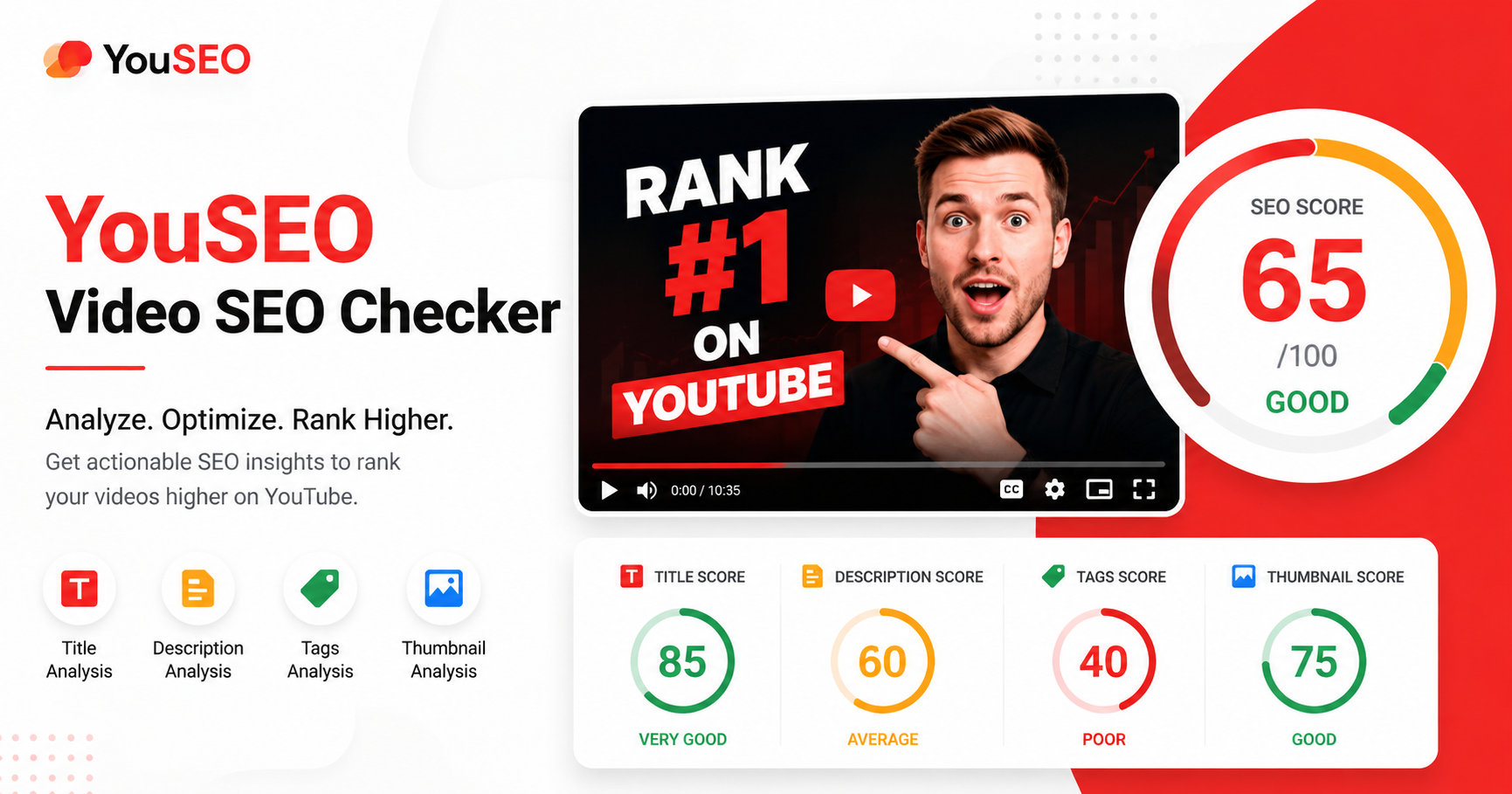
To check a YouTube video's SEO score in 60 seconds: paste the video URL into a YouTube video SEO checker, wait a few seconds for the analysis, and review the four-element breakdown - title, description, tags, and thumbnail. Each element gets scored individually, with specific fix suggestions for any weak signals. A strong overall score is typically 80+. Anything below 60 needs immediate attention.
Why Most YouTube Videos Are Quietly Underperforming Their Metadata
Most channels guess at SEO. Titles are written by feel; descriptions get a single line and a wall of links; tags are pulled from yesterday's video; thumbnails are designed without checking whether they actually stand out in the suggested feed. Each individual choice feels harmless. The cumulative effect is a video that gets a small fraction of the impressions it could have earned. The frustrating part isn't that the video bombed - it's that you'll never know how close it came to breaking out, because the metadata never gave it a fair chance.
What Is a YouTube Video SEO Score and What Gets Scored?
A YouTube video SEO score is a single rating - usually out of 100 - that evaluates how well a video's metadata is optimized for YouTube search rankings, suggested-video reach, and click-through rate. The score breaks down across four core elements:
- Title: presence of the target keyword, position in the title, length, click-through appeal, and uniqueness.
- Description: the first 150 characters (which YouTube treats as primary content signal), keyword placement, length, link organization, and structured chapter markers.
- Tags: relevance to the title and content, mix of broad and specific tags, and avoidance of irrelevant or duplicate tags.
- Thumbnail: contrast, focal-element clarity, text legibility at small sizes, and CTR-driving design patterns.
Each element influences a different distribution channel - title and description drive search rankings, tags reinforce semantic context for suggested videos, and thumbnail directly drives impressions' click-through rate.
How Do You Check a YouTube Video's SEO Score Free in 60 Seconds?
Running a check takes three quick steps:
1. Copy the URL of the video you want to analyze. Works for any public YouTube video - your own uploads or competitor uploads you want to study.
2. Paste it into the YouSEO YouTube video SEO checker. The tool runs the title, description, tags, and thumbnail through an automated SEO analysis in seconds.
3. Review the four-element breakdown. Each element gets an individual score plus a fix-it suggestion - what's working, what's weak, and the specific change that would lift the score most.
The entire process takes well under a minute per video. For a channel with 50 uploads, you can audit every video in under an hour and walk away with a prioritized fix list.
How Do You Read Your YouTube Video SEO Score?
Scores typically land in one of three zones:
- Strong (80-100): all four elements are well-optimized. Focus on content quality and consistency rather than metadata tweaks.
- Average (60-79): one or two elements are dragging the score down. Identify the weakest single element and fix that one first - usually the title or thumbnail.
- Low (under 60): multiple elements need work. Don't try to fix everything at once. Start with the title (highest search-impact), then the thumbnail (highest CTR-impact), then descriptions and tags.
Score lifts compound. A title fix often improves impressions; a thumbnail fix improves CTR on those impressions; description and tag fixes reinforce the algorithm's understanding of your content. To monitor whether your fixes actually moved the needle, pair this with how to read your YouTube analytics to find what's working.
How to Fix the Top YouTube SEO Score-Killers
Title fixes
The most common title issue is missing the target keyword entirely - or burying it past the first 5-6 words. Move your primary keyword to the front of the title (or first 30 characters). Keep the full title under 60 characters so it doesn't truncate in search results. Avoid clickbait - emotional pull is good, but unmet promises drop CTR over time as YouTube's quality signals catch up.
Description fixes
The first 150 characters of your description are what YouTube weighs heaviest. Lead with a strong opening line that contains your focus keyword naturally, not a list of links or social handles. Aim for at least 200-400 words total. Add chapter timestamps for videos over 5 minutes - chapters improve session length and YouTube's semantic understanding of your content.
Tag fixes
Don't tag-stuff. Use 5-12 highly relevant tags - a mix of your primary keyword, 2-3 close variations, and 2-3 niche terms. Avoid generic tags like "viral" or "YouTube" - they add no signal. The goal is contextual relevance, not maximum tag count. Outdated tag-stuffing tactics now actively hurt your score.
Thumbnail fixes
Open your video next to 4-5 competing videos in the same niche. If your thumbnail blends in visually, that's the issue. Use high-contrast colors, a single clear focal element, and large legible text (no more than 4-6 words). Ensure thumbnail clarity at thumbnail size - preview it at 120×68 pixels before uploading. CTR matters more than design polish.
Should You Optimize New Videos or Audit Already-Published Ones?
Both - but for different reasons.
For new videos, score the metadata before you hit publish. Catching a low score pre-upload lets you fix issues during the critical first-48-hour window, when algorithm distribution decisions get made. Pair pre-upload optimization with launching at the right moment - use guidance on the best time to post on YouTube to align your launch with your audience's peak window.
For already-published videos, yes - you can edit titles, descriptions, and tags after upload, and YouTube re-indexes the changes. Auditing older uploads with consistent low impressions or CTR often surfaces easy fixes. A 6-month-old video that lifts from a 55 score to an 80 score can pull substantial search and suggested traffic for years afterward.
A Before-and-After: What an SEO Score Lift Actually Changes
Consider a real pattern. A tutorial video originally scored 52 - title missing the primary keyword, description starting with social links, no chapters, generic tags, low-contrast thumbnail.
After fixes (keyword moved to first 30 characters, description rewritten with the keyword in the first 150 chars, chapter timestamps added, tags refined to 8 niche-specific terms, thumbnail recolored for contrast), the score lifted to 84. The behavior change wasn't immediate - but over the next 4 weeks, impressions climbed roughly 60% and CTR moved from 3.1% to 5.4%. That's the compounding effect of well-optimized metadata: it doesn't fire a single big spike, it steadily increases the ceiling of what your video can reach.
Frequently Asked Questions About YouTube Video SEO Scores
What is a good YouTube video SEO score?
Scores above 80 are strong, 60-79 is average, and under 60 needs immediate attention. Most uploaded videos sit in the 55-70 range without intentional optimization. Aim for 80+ on your most important uploads - that's the threshold where metadata stops being a constraint on growth.
Can I improve a video's SEO score after publishing?
Yes. YouTube re-indexes title, description, and tag edits within hours to days. Thumbnail updates take effect immediately. Make one careful fix at a time - multiple simultaneous changes confuse the algorithm's read on your video and make it hard to know which change drove the result.
How often should I check my YouTube videos' SEO scores?
Check every new upload before publishing. Quarterly, audit your top 10 most-viewed videos to see if any have drifted into low-score territory. Older videos with strong organic search potential are the highest-ROI targets for re-optimization.
Do tags still matter for YouTube SEO in 2026?
Yes, but less than they used to and only when used correctly. Tags reinforce the semantic context YouTube uses to surface your video in suggested feeds. They don't directly lift search rankings. Use 5-12 highly relevant tags - never tag-stuff, which now hurts more than it helps.
Will fixing my SEO score guarantee more YouTube views?
No tool can guarantee views - content quality, audience match, and timing all matter too. But strong metadata removes a fixable bottleneck that quietly limits reach on most uploads. Channels that consistently score 80+ across uploads typically see meaningfully better impressions-to-views conversion over time.
How Do You Start Auditing Your Videos This Week?
Pick one video - ideally your most recent upload or one with steady impressions but underwhelming views. Run it through a free check. Fix the single weakest element first. Then move to the next video. Within a week of consistent checking, you'll have a sharper sense of which metadata patterns work for your specific channel and audience.
Check any video free in seconds with the YouSEO YouTube video SEO checker. Score your title, description, tags, and thumbnail - and get clear fix-it suggestions tailored to your video. Try YouSEO free today.