
Best YouTube Tags to Get Views: How to Find Tags That Actually Rank Your Videos
If you're searching for the best YouTube tags to get more views, here's what most "top tags" articles won't tell you: YouTube's own Help Center says tags "play a minimal role in your video's discovery." Not zero - minimal. No tag list will rescue a video with a weak title or a thumbnail nobody clicks.
That's the honest starting point. But tags aren't useless either - used well, a small set of relevant, specific tags gives YouTube a helpful nudge, especially for misspellings and niche terms. The real skill isn't grabbing a list; it's finding the right tags for YOUR video. Here's how, plus the myths worth busting.
Quick Answer
The best YouTube tags are a small set of relevant, specific ones tied to your topic - make the first tag your exact target keyword. There's no universal list and no official count, just a 500-character total budget, so roughly 10-15 focused tags is plenty. Skip generic single-word vanity tags. Tags are a minor signal, so your title, thumbnail, and hook matter far more for getting views.
Do YouTube Tags Actually Matter for Views?
A little - but far less than most creators think. YouTube's official Help Center says your title, thumbnail, and description are the important metadata for discovery, and tags "play a minimal role" unless your content is commonly misspelled. YouTube's AI now understands your video from the title, description, transcript, and visuals, so it no longer leans on manual tags.
What tags still do: correct common misspellings, clarify acronyms and alternate terms, disambiguate ambiguous words, cover regional spellings (color vs colour), and reinforce context your title couldn't. Minor, but not nothing - a precision layer, not a growth engine.
The Tag Myths Worth Busting
"Best tags" lists fail because they're generic, non-transferable, and dilute your signal. The four myths behind them:
- Myth: Tags are a secret ranking hack. False. YouTube's AI reads your title, description, transcript, and visuals. Tags are a support signal, not a growth hack. Strong packaging first; tags are a precision layer on top.
- Myth: More tags - or filling all 500 characters - means more reach. False. Over-tagging dilutes precision. ~200-300 characters of hyper-relevant tags beats 500 characters of diluted filler.
- Myth: Copy a viral video's tags and you'll rank too. An old trick with little value. You can read competitors' tags, but copying transfers nothing - use them for keyword IDEAS only.
- Myth: Tags are 100% dead and useless. Also an overstatement. They still help a little for misspellings, acronyms, and disambiguation. The honest middle ground: minor, but not zero.
How Do You Find the Best Tags for YOUR Video?
Forget the lists. Follow this method on every video:
1. Start from your core topic and primary keyword. Identify the exact phrase you want to rank for. Everything else builds from this.
2. Use search autocomplete and keyword research. Type your topic into YouTube search and note the autocomplete suggestions - real queries people type. Use YouTube keyword research to surface the terms behind good tags and confirm which have real demand.
3. Build broad-to-specific (long-tail). Combine a couple of broad category tags with several specific long-tail phrases (2-4 words each). Long-tail beats single-word mega-tags.
4. Make the first tag your exact target keyword. The first tag carries the most weight, so lead with the precise phrase you want to rank for. A practical tip, not an official rule - but widely used.
5. Add misspellings, acronyms, and alternate terms. This is where tags genuinely earn their keep - cover the variations and alternate names your title can't.
6. Check similar creators for ideas only. See what relevant niche creators target for inspiration, then write your own tags. Ideas, never copy-paste.
How Many YouTube Tags Should You Use, and Where?
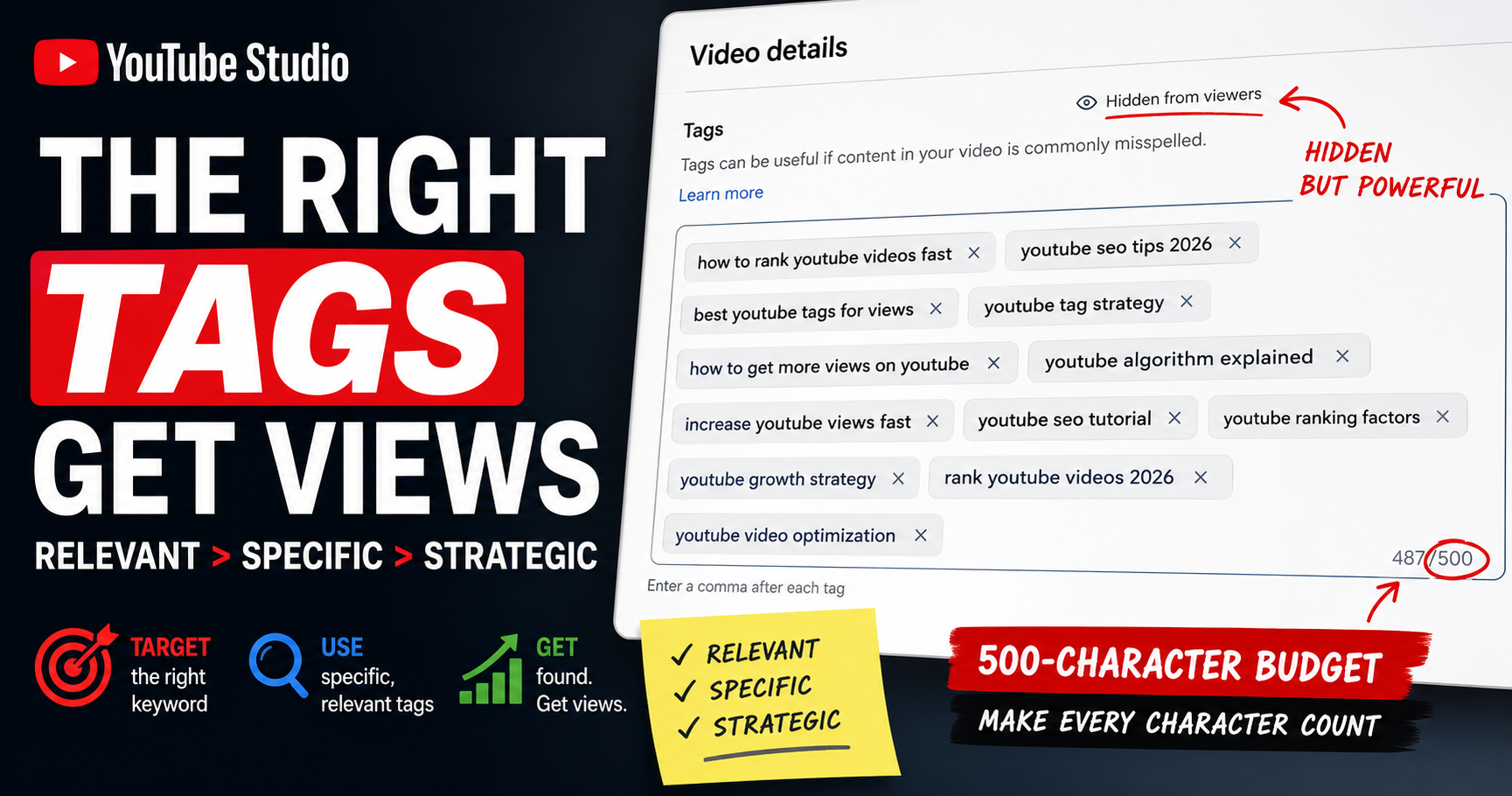
There's no official recommended number - YouTube doesn't specify one. The real constraint is a 500-character total budget for all tags combined (confirmed via YouTube's Data API); commas and quotation marks count toward it. Most creators land on roughly 10-15 focused, specific tags of about 2-4 words each. The rule isn't "hit a number" - it's "fill the budget with relevant tags, and stop when you run out." Maxing all 500 characters forces in filler that dilutes your signal.
Tags are hidden - viewers never see them. Add or edit them in YouTube Studio (Content → your video → Details → Show more), and make the first tag your target keyword.
Tags vs Hashtags vs Keywords: What's the Difference?
Three separate systems creators constantly confuse:
- Tags: hidden backend metadata in YouTube Studio, sharing a 500-character budget. Help YouTube understand your topic. Viewers don't see them.
- Hashtags: visible, clickable #text in your title or description - a separate system with its own rules. For the full breakdown, see best hashtags for YouTube Shorts.
- Keywords: the underlying search terms viewers type, which inform both tags and hashtags - and should anchor your title and description.
Important: the hashtag rule where too many hashtags makes YouTube ignore all of them does NOT apply to tags - tags use the 500-character budget instead.
Common Tag Mistakes to Avoid
- Stuffing tags to fill the 500-character budget with filler
- Using irrelevant or misleading tags to chase unrelated searches (a spam-policy risk)
- Relying only on mega-broad single-word tags like "vlog," "gaming," or "music"
- Copy-pasting random lists or a competitor's tags wholesale
- Dumping keyword lists into the description instead of the tag field - this is tag stuffing and violates policy
Where Tags Fit in the Bigger Picture
Tags are the last 5% of optimization, not the first. The title and thumbnail earn the click, the hook holds the viewer, watch time signals quality, the description reinforces context. Tags sit quietly underneath as a minor aid. If your title and thumbnail are weak, no tag set will save the video - spend your energy there first.
Before publishing, check your whole video's optimization, not just tags - see check your YouTube video's SEO score. For Shorts, tags matter even less - Shorts discovery runs on the feed algorithm, so visible hashtags do more of the work; see YouTube Shorts SEO.
How YouSEO Helps
Finding relevant, specific tags manually - checking autocomplete, researching keywords, covering misspellings, staying within budget - takes time better spent on your title and thumbnail. YouSEO speeds it up honestly.
Start with keyword research to surface the real search terms behind good tags - the underlying demand, not guesses. Then build your set with the youtube tag generator, which produces a relevant, budget-appropriate tag set in seconds: keyword-driven, structured broad-to-specific, and sized to fit the 500-character budget without filler. Its value is speed, relevance, and structure - not a magic ranking button. No tool can make tags matter more than YouTube lets them; this one just gets the minor signal right fast.
A Real Tag Comparison: 30 Stuffed Tags vs 12 Relevant Ones
Two creators upload the same tutorial. Creator A stuffs the field to 500 characters with 30+ tags - single-word mega-tags, unrelated trending terms, repeated keywords. YouTube reads noise, the signal is muddy, the irrelevant tags edge toward a spam-policy risk, and the creator spent 20 minutes on tags while rushing the thumbnail.
Creator B uses about 12 relevant tags: exact target keyword first, several long-tail variations, two common misspellings, one broad category tag - roughly 250 characters, all relevant. The rest of their time went to the title and thumbnail. Clean signal, packaging earns clicks, retention does the rest. Same topic - the difference was relevance plus priorities, not volume.
Frequently Asked Questions About YouTube Tags
Do YouTube tags affect ranking?
Only minimally. YouTube's official Help Center states that tags play a minimal role in discovery and are mainly useful for commonly misspelled content. Your title, thumbnail, description, and watch time drive ranking far more.
How many YouTube tags should I use?
There's no official count. You have a 500-character total budget for all tags combined. In practice, roughly 10-15 focused, specific tags (2-4 words each) is a common sweet spot. Fill the budget with relevant tags rather than maxing it with filler.
Is there a limit on YouTube tags?
Yes - a character limit, not a count. All tags share a 500-character total budget, and commas and quotation marks count toward it. There's no official maximum number of tags. This is different from hashtag rules.
Should I copy other creators' tags?
No. You can read a competitor's tags, but copying them transfers none of their success - that video ranks on its title, thumbnail, and retention, not its tags. Use competitor tags only for keyword and topic ideas.
What's the difference between YouTube tags and hashtags?
Tags are hidden backend metadata in YouTube Studio, sharing a 500-character budget. Hashtags are visible, clickable #text in your title or description with their own rules. They're independent - the hashtag limits don't apply to tags.
Stop Chasing Tag Lists. Get the Minor Signal Right.
The honest truth about tags is less exciting than the "best tags to go viral" articles suggest: YouTube itself calls them a minor signal, and no tag set will rescue a weak video. What good tags do - kept relevant and specific - is give YouTube a clean categorization nudge, especially for the misspellings and alternate terms your title can't cover. Worth doing well; not worth obsessing over.
Skip the random and competitor tag lists. Find the real search terms with YouSEO's keyword research, then build a relevant, budget-smart set with the youtube tag generator in seconds. Use about 10-15 relevant tags - first one your target keyword - and put your energy into the title, thumbnail, and hook. Try YouSEO free today.