
What Is a Good YouTube SEO Score? (Benchmarks + How to Fix a Low One)
You just ran a YouTube SEO check on one of your videos. The result: 54/100. Now what? Is that fine? Terrible? Average? Without a benchmark, the number means nothing. A good YouTube SEO score sits in a specific range, and knowing exactly where your score lands tells you whether your metadata is helping or quietly costing you reach.
This guide gives you the exact benchmarks - what counts as poor, average, and strong - plus the five most common points creators lose and the specific fix for each. Tight, quotable, and practical: no inflated promises, no shady tactics, no clickbait.
Quick Answer
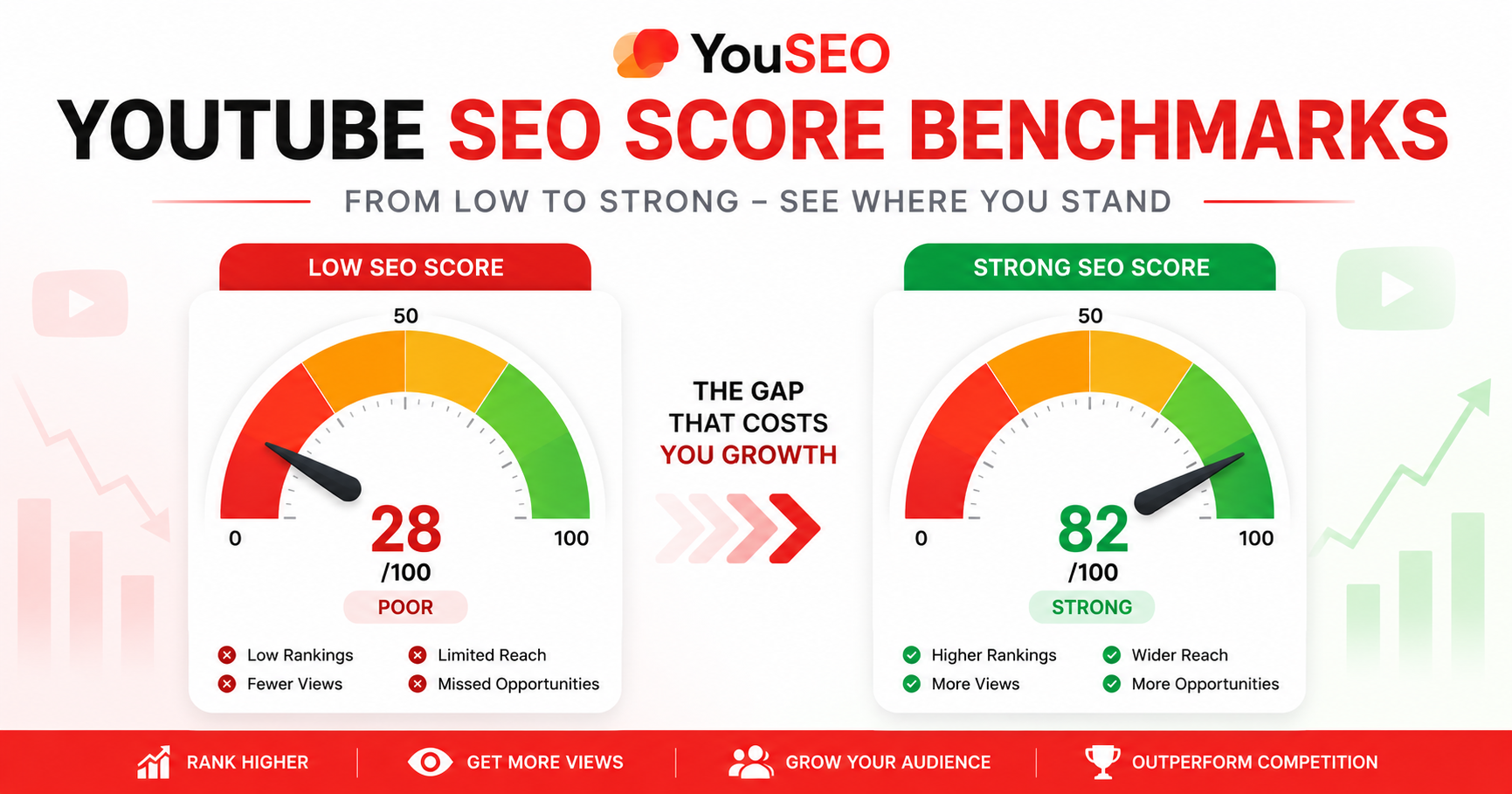
A good YouTube SEO score is 80 or higher (out of 100). Scores break down into three clear bands: 0-49 is poor, 50-79 is average, and 80-100 is strong. A strong score means your title, description, tags, and thumbnail are all well-optimized for search rankings, suggested-video reach, and click-through rate. Most channels sit in the 50-70 range without intentional optimization.
Why Creators Often Have No Idea If Their SEO Score Is Any Good
Most SEO checkers spit out a number without context. A score of 54 means nothing in isolation - it could be a small fix from strong territory or a fundamentally weak setup that needs an overhaul. Worse, every creator searching for benchmarks runs into vague answers ("higher is better") or marketing fluff. What's missing is a concrete ranges-and-fixes framework: which scores are okay to leave alone, which need immediate work, and exactly which fixes lift scores fastest.
What Does a YouTube SEO Score Actually Measure?
A YouTube SEO score is a single rating - typically out of 100 - that evaluates how well a video's metadata is optimized across four core elements:
- Title: keyword presence, position, length, and click-through appeal.
- Description: keyword placement in the first 150 characters, length, chapter markers, and structure.
- Tags: relevance, niche-specificity, and avoidance of stuffing or generic terms.
- Thumbnail: contrast, focal-element clarity, text legibility at thumbnail size, and CTR-driving design.
Each element pulls a different distribution lever. Title and description drive search rankings; tags reinforce semantic context for suggested videos; thumbnail directly drives impressions click-through rate.
What Is a Good YouTube SEO Score? (Benchmarks)
Three ranges separate strong videos from underperforming ones:
- 0-49 - Poor: multiple elements are weak. Title likely missing the target keyword, description thin, tags missing or irrelevant, thumbnail blends in. Reach is severely limited. Fix urgently before expecting any organic growth.
- 50-79 - Average: one or two elements drag the score down. Most uncoached uploads sit here. Reach is partial - the video earns impressions but consistently underperforms what its content could achieve. Identify the weakest single element and fix that first.
- 80-100 - Strong: all four elements are well-optimized. Metadata is no longer the bottleneck. Reach now depends mostly on content quality, audience match, and timing. Aim for 80+ on every important upload.
These bands map directly to real-world reach: poor scores often cap a video's distribution potential before content quality even gets a chance to matter. Strong scores remove that ceiling.
What Are the 5 Most Common Points Creators Lose on a YouTube SEO Score?
These five issues account for the majority of low-score deductions. Each has a specific, one-line fix:
1. Target keyword missing from the title. Fix: move your primary keyword into the first 30 characters of the title. Verify it's the exact phrase users search, not a paraphrase.
2. Thin description, keyword missing from the first lines. Fix: rewrite the opening sentence to include the focus keyword naturally within the first 150 characters. Expand the full description to at least 200-400 words.
3. Missing or irrelevant tags. Fix: replace generic tags ("viral," "YouTube") with 5-12 niche-specific tags that include your primary keyword, 2-3 close variations, and 2-3 topical terms.
4. Weak low-contrast thumbnail that hurts CTR. Fix: redesign with high-contrast colors, a single clear focal element, and large legible text (no more than 4-6 words). Check legibility at 120×68 pixel preview size.
5. Metadata mismatch - title, description, and tags don't align on one topic. Fix: pick one focused topic and rewrite all three to reinforce it. Mixed signals confuse YouTube's semantic understanding and cap your distribution.
How Do You Raise a Low YouTube SEO Score Step by Step?
If your score is in the poor or average band, work in this order to lift it fastest:
1. Apply the title fix first. Title carries the highest search-impact weight. A keyword-led title alone often lifts a score by 10-15 points.
2. Apply the thumbnail fix second. Thumbnail drives CTR independently of metadata. A high-contrast redesign lifts both your score and your real-world impressions-to-views conversion.
3. Fix description and tags together. Rewrite the first 150 characters with the keyword and add chapter timestamps. Refine tags to align with the new description.
4. Re-check the score and confirm the lift. Run the same video through the same tool again. A 15-25 point improvement is realistic from a single round of fixes. For step-by-step guidance, see how to check your YouTube video's SEO score.
All of this works on already-published videos. YouTube re-indexes title, description, and tag edits within hours to days, and thumbnail changes take effect immediately.
When Should You Check a Video Score vs. Audit Your Whole Channel?
Use a YouTube video SEO checker when you want to score a single upload - either before publishing (to catch issues pre-launch) or after publishing (to diagnose underperformance). It's fast: paste a URL, see the four-element breakdown, fix what's flagged. Best for one-video deep dives.
Use a YouTube channel SEO checker when you want a whole-channel audit. It scores every published video in one pass and surfaces which uploads have the weakest metadata - so you can prioritize the highest-impact re-optimization work first. Best for channels with 20+ uploads where you'd otherwise have no way to know where to start.
Both work on already-published videos. Channel-level auditing is the higher-ROI workflow for established channels - re-optimizing your weakest 5-10 videos often lifts overall channel traffic more than any new upload would. Pair channel audits with how to read your YouTube analytics to find what's working to see which fixed videos actually pulled new impressions.
Before-and-After: A Real YouTube SEO Score Lift Example
Consider a real pattern. A tutorial video originally scored 48 - poor band. Diagnosis: title missing the focus keyword entirely, description opening with social links, no chapter timestamps, six tags that were either generic or off-topic, and a low-contrast thumbnail.
After fixes (keyword moved to the front of the title, description rewritten with the keyword in the first 150 characters, chapters added, tags refined to 9 niche-specific terms, thumbnail recolored for contrast), the score climbed to 87 - strong band. Over the following 4 weeks, impressions lifted roughly 65% and click-through rate moved from 3.2% to 5.6%. That's the compounding effect of well-optimized metadata: a single round of fixes can move a video from "capped at low reach" to "ceiling removed" - and the lift continues for months because YouTube keeps surfacing the re-optimized video to fresh audiences.
Frequently Asked Questions About YouTube SEO Scores
What is a good YouTube SEO score?
A good YouTube SEO score is 80 or higher out of 100. The three bands are 0-49 (poor), 50-79 (average), and 80-100 (strong). Most uncoached uploads sit in the 50-70 range; aim for 80+ on every important video.
Is a 70 a good YouTube SEO score?
A 70 is in the average band - passable but with clear room to improve. It typically means three of the four elements are reasonably optimized while one (often the thumbnail or the tags) is dragging the score down. Identify the weakest single element and you can usually lift a 70 to an 85+.
What's the average YouTube SEO score for most channels?
Most uncoached uploads score in the 50-70 range - average band. Channels that consistently rank above 80 are doing intentional metadata optimization before every upload, not relying on default YouTube Studio prompts.
Can I raise a YouTube SEO score on an already-published video?
Yes. Title, description, and tag edits get re-indexed by YouTube within hours to days; thumbnail changes take effect immediately. A 15-25 point score lift from a single round of fixes is realistic, and the impressions improvement can continue for months.
Will a high YouTube SEO score guarantee more views?
No - content quality, audience match, posting time, and content trends all matter too. But a strong score removes metadata as a bottleneck, which means your video gets a fair chance to reach the audience it deserves. Low scores quietly cap reach before content quality even gets a chance to matter.
How Do You Get Your Score Into the Strong Band This Week?
Pick one video. Score it. Identify the weakest of the four elements. Apply the matching fix from the five common-issue list above. Re-check the score and confirm the lift. Then repeat on the next video. Within a week of consistent checking, you'll have a sharper sense of which patterns specifically work for your channel and audience.
Score any video free in seconds with the YouSEO YouTube video SEO checker. Audit your whole channel - every published video at once - with the YouTube channel SEO checker. Fix the flagged issues, re-check, and watch the score climb. Try YouSEO free today.