
How to Find the Right Keywords for Your YouTube Videos (Free Tool Inside)
Knowing how to find keywords for YouTube videos is the difference between making content nobody discovers and content that compounds reach for years. Most creators skip keyword research entirely, then wonder why their videos stall at the same view count regardless of quality.
Real YouTube keyword research isn't about stuffing tags or copying competitor titles. It's about identifying the exact phrases your audience types into YouTube search and the suggested feed, then matching your content to that demand. This guide walks you through the full workflow - including the free YouSEO Keyword Research tool - step by step.
Quick Answer
To find the right keywords for your YouTube videos: start with YouTube search autocomplete, validate the terms in a keyword research tool, filter for low competition and rising search demand, match each keyword to viewer intent, then place them in your title, description, tags, and spoken dialogue. Most creators see ranking improvements within 8-12 uploads.
Why Does YouTube Keyword Research Matter More in 2026?
YouTube keyword research is the single highest-leverage growth activity for small channels in 2026 — and it's also the one most creators skip. Every video that doesn't target a real search term relies on the algorithm's homepage recommendation to find an audience, which becomes brutally competitive once you're past the niche median. Channels that target rising-search keywords get steady, compounding views for years after upload. Channels that don't get one shot at the impression feed, then nothing. The difference between an evergreen earner and a one-week flop almost always traces back to keyword research.
How Is YouTube Keyword Research Different From Google Keyword Research?
YouTube and Google are both search engines, but creators treat them like the same one — which is a costly mistake. YouTube users are looking for video content with stronger intent signals: tutorials, reviews, demonstrations. Google users often want quick text answers. A keyword that's brutally competitive on Google can be wide open on YouTube, and vice versa. Always research YouTube-specific data, not Google Trends or Google Ads volume. The two platforms reward different content, and using Google data for YouTube decisions misleads creators systematically.
What's the Step-by-Step YouTube Keyword Research Workflow?
Step 1 - Start with YouTube search autocomplete
YouTube's search autocomplete is the most direct signal of what real viewers are searching for. Open YouTube, type a broad term in your niche, and write down every autocomplete suggestion. Then try the alphabet method: type your seed term followed by "a," "b," "c," and so on. Each letter generates a fresh set of suggestions tied to common search modifiers. By the end of this exercise, you'll have 30-50 keyword candidates straight from YouTube's actual search data — real terms with real searches behind them.
Step 2 — Validate with a keyword research tool
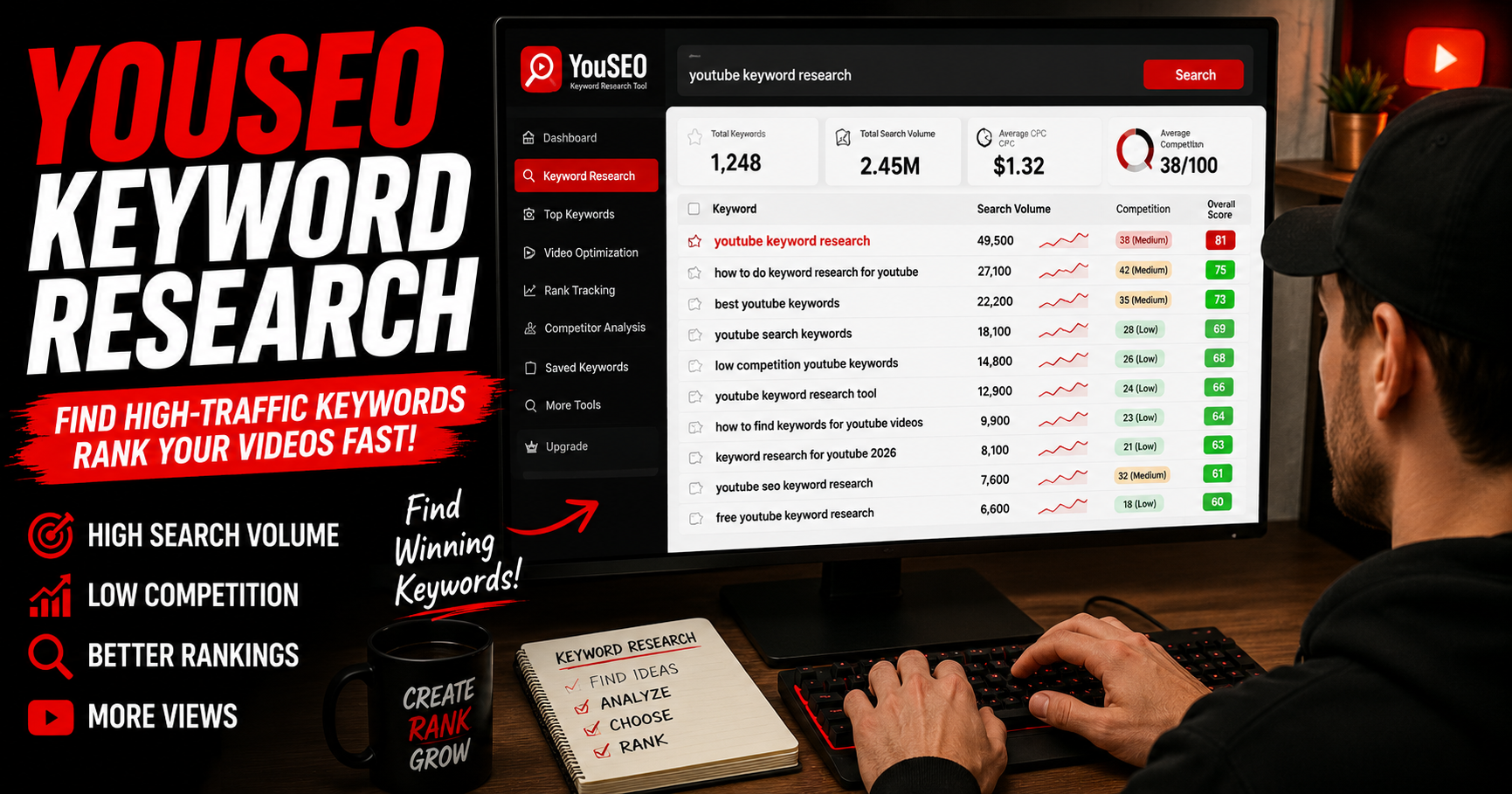
Autocomplete gives you the seed list. A keyword research tool tells you which terms are actually worth targeting. Run your 30-50 candidates through the free YouSEO Keyword Research tool to see monthly search volume, competition score, and rising-search velocity for each. Filter aggressively: keep keywords with at least 500 monthly searches and a competition score below your channel's authority. You'll typically end up with 8-12 strong targets from a starting pool of 50.
Step 3 — Weigh search demand against competition
Search demand without competition data is meaningless. A keyword with 10,000 monthly searches but a top-three SERP locked by channels 100× your size is unwinnable. A keyword with 800 monthly searches and a top-three SERP of channels your size is gold. For new channels, target keywords where the top three results have fewer subscribers than 5× your channel size. For established channels, you can compete with results up to 10× your size. The ratio matters far more than absolute search volume.
Step 4 — Match keywords to viewer intent
A keyword tells you what people search; viewer intent tells you what they're actually trying to do. Someone searching "how to start a podcast" wants a tutorial. Someone searching "best podcast microphone under $200" wants a comparison review. Same niche, totally different content formats. Open the top five YouTube results for each target keyword and study the format, length, and angle. Match your video to the dominant intent, then differentiate on angle. Intent mismatch tanks watch time and retention every time.
Step 5 — Place keywords in the right spots
Keywords belong in five specific places on every upload:
- Title: primary keyword within the first 60 characters
- Description: primary keyword in the first sentence, secondary keywords woven through the next two paragraphs
- Tags: primary and 3-5 closely related secondary keywords
- Spoken dialogue: YouTube transcribes your audio for captions, which the algorithm reads — say your target keywords aloud naturally
- Filename: rename the video file to include the primary keyword before uploading
We cover description optimization in detail in our companion guide on how to optimize your YouTube video description for search.
How Do You Find Low-Competition, High-Traffic YouTube Keywords?
Low-competition, high-traffic keywords exist in larger numbers than most creators realize. The trick is targeting rising-search velocity rather than peak volume. Rising-velocity keywords are terms gaining weekly search momentum but haven't yet saturated their SERP. The window where small channels can rank is two to four weeks before a topic peaks — when search demand is climbing fast but established channels haven't published on the topic yet. Use the YouSEO Keyword Research tool's velocity filter to surface these specifically. A keyword with rising-velocity status and a thin SERP is worth ten times a keyword with higher absolute volume but an entrenched competitive landscape.
How Should New and Established Creators Approach Keywords Differently?
For new creators choosing their first keywords
If you're under 1,000 subscribers, target the longest-tail keywords you can find — five or six word phrases with minimal competition. A keyword like "how to film vlogs with iPhone 16" will rank for a small channel; "iPhone vlog tips" will not. Don't compete for short-tail terms until you have at least 5,000 subscribers and 100,000 total channel views. Long-tail keywords compound: each ranked video earns small steady traffic that adds up.
For established creators expanding into competitive terms
Channels with authority can compete for shorter-tail, higher-volume keywords — but only with the formats those keywords reward. Study what's already ranking top three for your target term. If it's all 20-minute deep dives, posting a 6-minute overview won't rank. Match the dominant format, then differentiate on angle or depth. Established creators that fail to expand usually try to win competitive keywords with their existing format. Match the format first, win on quality second.
How Do You Track Whether Your Keywords Are Actually Working?
Keyword research without tracking is gambling. After your keywords are placed, use YouSEO Channel Analytics to monitor two metrics on every upload: impressions from search (not just suggested) and click-through rate from search. If impressions stay low, your keyword competition was too high or intent was off. If impressions are high but CTR is low, your title-thumbnail combo isn't earning the click from search results. Most keyword wins reveal themselves within 14 days of upload.
Frequently Asked Questions About YouTube Keyword Research
How long does YouTube keyword research take per video?
Roughly 15-30 minutes per upload once you have a workflow. The first time you do it for a niche takes 60-90 minutes; subsequent videos in the same niche are much faster because you can reuse your seed-keyword research and only validate fresh terms.
Should I use Google Trends for YouTube keyword research?
Use it as a supplement, not a primary source. Google Trends shows interest in topics broadly, but YouTube search behavior differs significantly. Always validate Google Trends signals against YouTube-specific data from a keyword research tool or YouTube's autocomplete before committing to a topic.
How many keywords should I target per YouTube video?
One primary keyword and 3-5 closely related secondary keywords per video. More than that splits the algorithm's understanding of your topic and weakens ranking on all of them. Single-keyword focus with related variations beats multi-keyword targeting every time.
Do YouTube tags still matter for SEO in 2026?
Tags have minor categorization value but no major ranking impact in 2026. Spend 30 seconds on tags, not 30 minutes. The keyword leverage is in title, description, and spoken dialogue — tags signal context to YouTube but don't move the ranking dial on their own.
How long until my keyword-optimized videos start ranking?
Most videos that rank do so within 14 days of upload. If yours hasn't gained search impressions by then, the keyword competition was too high or viewer intent didn't match. Re-research the term, adjust your title and description, or move on to a less competitive variant.
How Do You Put Your YouTube Keyword Research Into Action This Week?
Keyword research compounds. The first upload you optimize will give modest results; the tenth will rank in search; the twentieth will pull steady traffic for years. Most creators give up at upload three because the early data looks weak.
Run your next upload through the YouSEO Keyword Research tool to find rising-velocity terms in your niche, then track ranking and search impressions with Channel Analytics. And once your keywords drive consistent discovery, the natural next milestone is monetization — for that, see our guide on how to reach 4,000 watch hours fast without shady tricks. Get Trending & Viral worthy Hashtags / Tags for YouTube. Try YouSEO free today.