
Best Hashtags for YouTube Shorts: What to Use for More Views
You searched for the best hashtags for YouTube Shorts hoping for a copy-paste list that makes your Short blow up. Here's the honest truth: there is no universal magic list, and the generically "trending" hashtags everyone reaches for - #viral, #fyp, #trending - barely help. The best hashtags for YOUR Short are a few highly relevant ones tied to its specific topic and niche.
This is the "what to actually use" guide. We'll cover the simple funnel that works, show example sets across a few niches you can adapt, tackle the "trending hashtags" question honestly, and list what to skip. No hype, no fake viral promises - just what genuinely helps your Short reach the right viewers.
Quick Answer
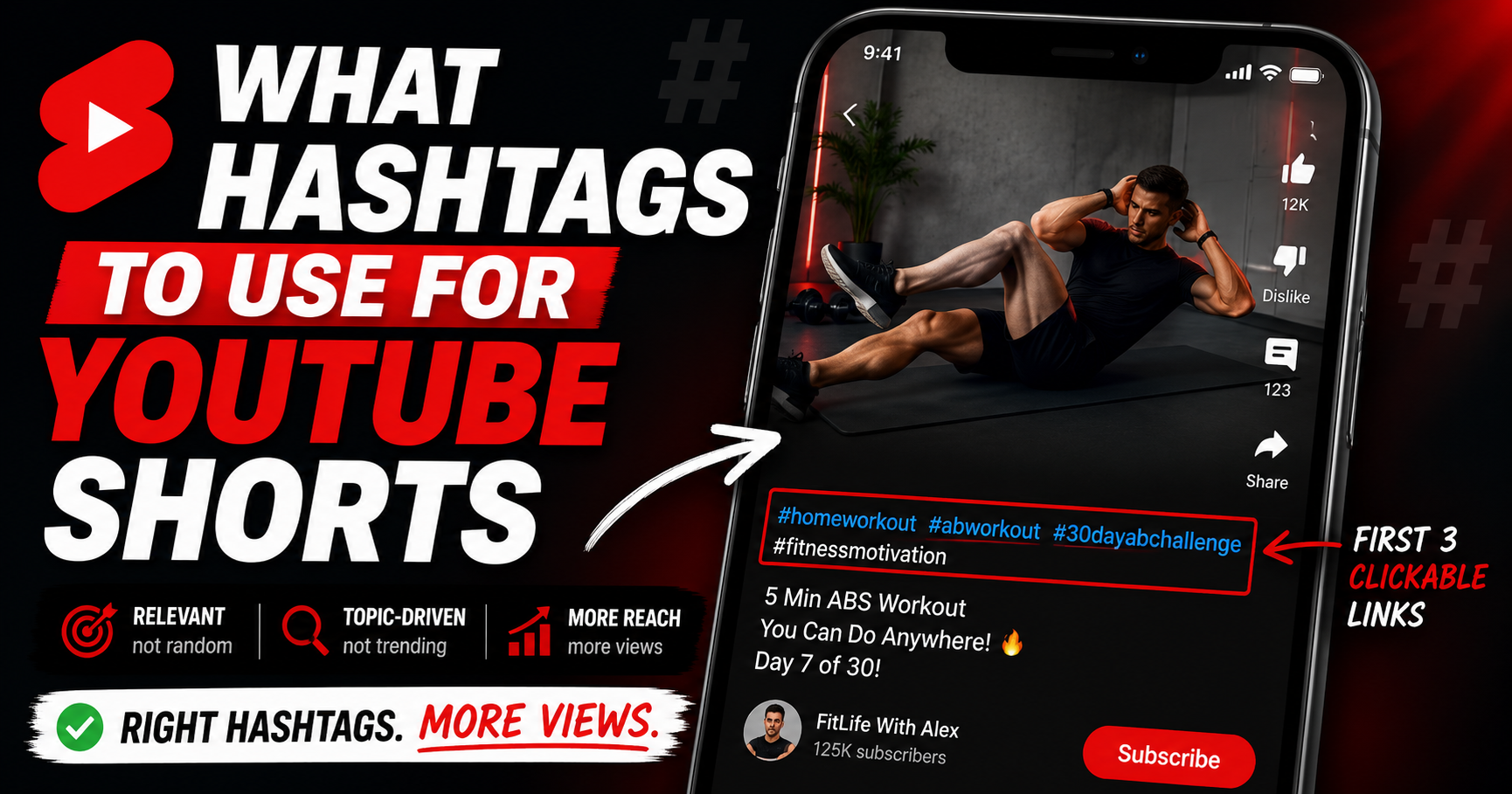
The best hashtags for YouTube Shorts are 3-5 relevant ones tied to your video's topic, structured broad to niche. There's no universal list, and generically "trending" hashtags rarely help. Place them in the description - the first 3 show as clickable links above the title. Skip #viral and #fyp. And #Shorts is optional in 2026, not required.
Do Hashtags Help YouTube Shorts Get Views?
A little - with limited impact. Hashtags help YouTube categorize your Short and let viewers find related content by tapping a hashtag or searching. That's useful, but it's not what drives views. Shorts distribution is decided by engagement: your first-3-seconds hook, how long viewers watch, your swipe-away rate, and overall retention. Hashtags nudge your Short toward the right initial audience; your content decides whether it spreads from there.
So treat hashtags as quick, useful housekeeping - get them relevant, then put your real energy into the hook. They're a categorization signal, not a growth lever.
What Hashtags Should You Actually Use?
Use 3-5 relevant hashtags, structured as a funnel: one broad, two topic-specific, and one or two niche. The broad tag sets the category, the topic tags describe your subject, and the niche tags pinpoint your exact content - giving YouTube layered context without dilution. Here are adaptable example sets across a few niches. Model the structure, don't copy them verbatim - swap in the tags that genuinely fit your Short:
- Fitness: #fitness (broad) → #homeworkout, #abworkout (topic) → #30dayabchallenge (niche)
- Cooking: #cooking (broad) → #easyrecipes, #quickmeals (topic) → #5minutebreakfast (niche)
- Gaming: #gaming (broad) → #minecraft, #survivalmode (topic) → #minecraftbuildhacks (niche)
- Tech: #tech (broad) → #smartphonetips, #androidtricks (topic) → #pixel9hiddenfeatures (niche)
Notice the pattern: each set narrows from a category anyone could use down to a specific phrase only your content matches. That specificity is what gives YouTube a clean signal.
Do "Trending" Hashtags Actually Work?
This is the big one for anyone searching "trending hashtags YouTube." The honest answer: generically trending or vanity hashtags rarely help. Tags like #viral, #fyp, #trending, and #foryou are used by millions of videos, so they give YouTube almost zero useful categorization signal - you're a drop in an ocean. Relevant-to-your-niche beats generically-trending every time.
That doesn't mean trends are useless - the useful version is topical trends relevant to your content. If a specific topic in your niche is rising, a relevant hashtag for it can help you ride that wave. Find genuinely relevant trends with YouTube keyword research, or explore YouTube's Shorts Trends page and trending YouTube video ideas for topical momentum you can actually tap into.
Hashtags to Skip
- #viral, #fyp, #trending, #foryou as your main tags - millions use them, near-zero categorization signal
- Irrelevant or misleading hashtags to chase unrelated searches - this can trigger spam detection and limit reach
- Generic single-word mega-tags on their own - anchor broad tags with specific, niche ones instead
- #Shorts added out of habit - it's optional (more below), so a niche-specific tag usually serves you better
The Myths, Busted
- #Shorts is NOT required in 2026. YouTube classifies a video as a Short automatically based on vertical orientation and duration (confirmed via Creator Insider). Including #Shorts is optional and low-impact - don't add it just because an old guide said "always include #Shorts."
- More hashtags does NOT mean more reach. YouTube's Help Center documents that beyond 60 hashtags it ignores every hashtag on the video. Some older guides cite a lower 15 figure; either way, 3-5 keeps you safely under any threshold - and over-tagging dilutes your signal.
- There is no magic universal list. Any "copy these to go viral" set is generic by definition. Relevance to your specific Short is what matters.
How Many Hashtags Should You Use, and Where?
Use 3-5 relevant hashtags, and put them in the description - that's YouTube's recommended placement. The first 3 hashtags in your description appear as clickable links above your Short's title, so choose those three most carefully; they're the ones viewers actually see and tap. Title hashtags work too, but they consume title characters better spent on a strong hook. The documented ceiling is 60 hashtags (beyond that, YouTube ignores them all), but you should never come close - if you're adding more than 5, you're already over-tagging by best practice.
Hashtags vs Tags - the Quick Version
They're different systems. Hashtags are the visible, clickable #text in your title or description (what this post covers). Tags are hidden backend metadata in YouTube Studio that share a 500-character budget and help YouTube understand your topic. Keywords are the underlying search terms that inform both. Use them together - one doesn't replace another. For the full tag breakdown, see Do YouTube tags still matter.
Reaching the Right Audience With Regional Hashtags
If you're targeting a specific market or language, relevant local-language or region-topical hashtags can help you reach the right viewers. A Hindi cooking Short, for example, might use relevant Hindi or India-topical hashtags alongside English ones, so it surfaces for the audience actually searching in that context. The same relevance rule applies - no spammy regional stuffing, only hashtags that genuinely describe your content and the audience you're making it for. Used honestly, regional hashtags are just another layer of the same specificity that makes any hashtag set work.
How YouSEO Helps
Building a relevant broad-to-niche set for every Short takes thought - the right category, the right topic tags, the specific niche phrase, all genuinely relevant. YouSEO does it in seconds. The youtube hashtag generator generates a relevant, topic-driven hashtag set for your Short instantly, structured as a funnel and sized to stay well under any limit. Its value is relevance, speed, and structure - not a viral guarantee. No tool can make hashtags matter more than YouTube lets them; what this one does is get the categorization signal right fast, so you can spend your energy on the first 3 seconds. Pair it with keyword research to surface the real search terms behind good hashtags.
A Real Example: 20 Generic Tags vs 4 Relevant Ones
Two creators post the same cooking Short. Creator A loads 20 hashtags led by #viral #fyp #trending #foryou plus a dozen generic food tags. YouTube reads noise, the categorization signal is muddy, and the Short lands in front of a poorly matched audience that swipes away fast. It stalls under 1,000 views.
Creator B uses 4 relevant hashtags - #cooking, #easyrecipes, #knifeskills, #cuttingboardtips - and opens with a punchy first-3-seconds hook. YouTube gets a clean signal, the Short reaches people who actually care about cooking technique, the hook holds them, and watch time does the rest. It crosses 40,000 views in three days. Same topic - the difference was relevance plus the hook, not hashtag volume.
Frequently Asked Questions About YouTube Shorts Hashtags
What hashtags should I use for a YouTube Short?
Use 3-5 relevant hashtags tied to your video's topic, structured broad to niche: one broad category tag, two topic-specific, and one or two niche. Place them in the description. There's no universal list - the right tags are the ones that genuinely describe your specific Short.
Do trending hashtags work on YouTube Shorts?
Generic trending tags like #viral and #fyp rarely help - millions of videos use them, so they signal nothing useful. Topical trends relevant to your niche are different: a rising hashtag that genuinely fits your content can help. Relevant beats generically-trending every time.
Is #Shorts still required in 2026?
No. YouTube classifies vertical videos under the Shorts duration limit as Shorts automatically, whether or not you include #Shorts. It's optional and low-impact - often better to use that slot for a niche-specific hashtag.
How many hashtags should I use on a Short?
Use 3-5 relevant hashtags. YouTube's documentation says having more than 60 total causes all hashtags to be ignored, but you should never approach that. Three to five gives strong categorization without diluting relevance or looking spammy.
Where do hashtags appear on a YouTube Short?
The first 3 hashtags from your description appear as clickable links directly above the video title, where viewers can tap them to find related content. Any additional description hashtags still register but aren't shown above the title. Description placement is YouTube's recommended default.
The Bottom Line on Shorts Hashtags
There's no magic list, and no hashtag set will save a Short with a weak hook. But a few relevant, topic-driven hashtags - broad to niche, in the description - give YouTube a clean signal that helps your Short reach the right viewers. Skip the #viral clutter, keep every tag relevant, and if you want the full method for finding them, see the companion guide on how to actually find them.
Skip the random and #viral lists - generate a relevant hashtag set for your Short in seconds with the youtube hashtag generator, then put your energy into the first 3 seconds. Use 3-5 relevant hashtags that actually describe your Short. Try YouSEO free today.